Back to App
Story Forge Guide
1
Select a template you like
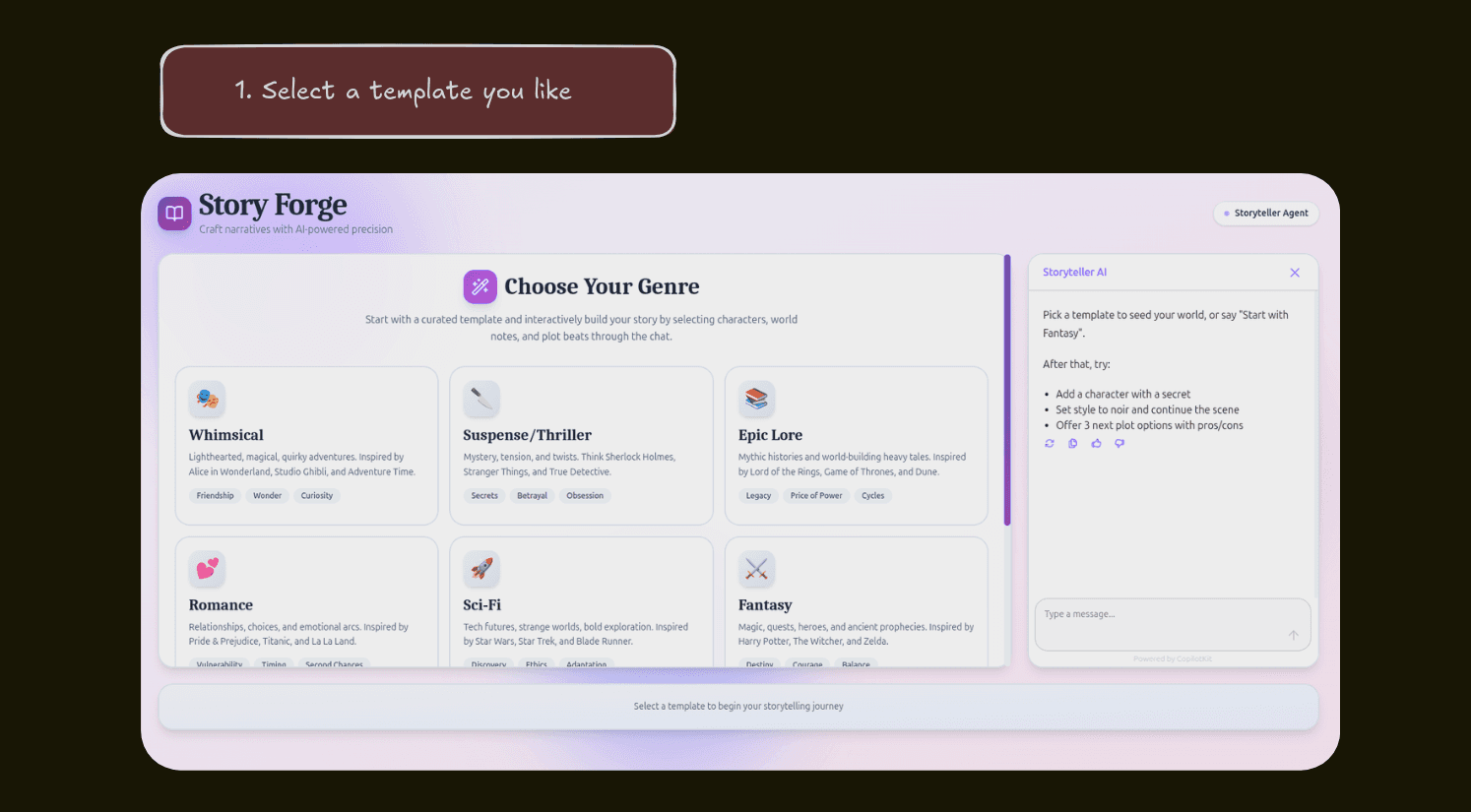
Choose from eight unique story genres, each with curated themes and inspirations to kickstart your creative journey.
2
Complete the story setup
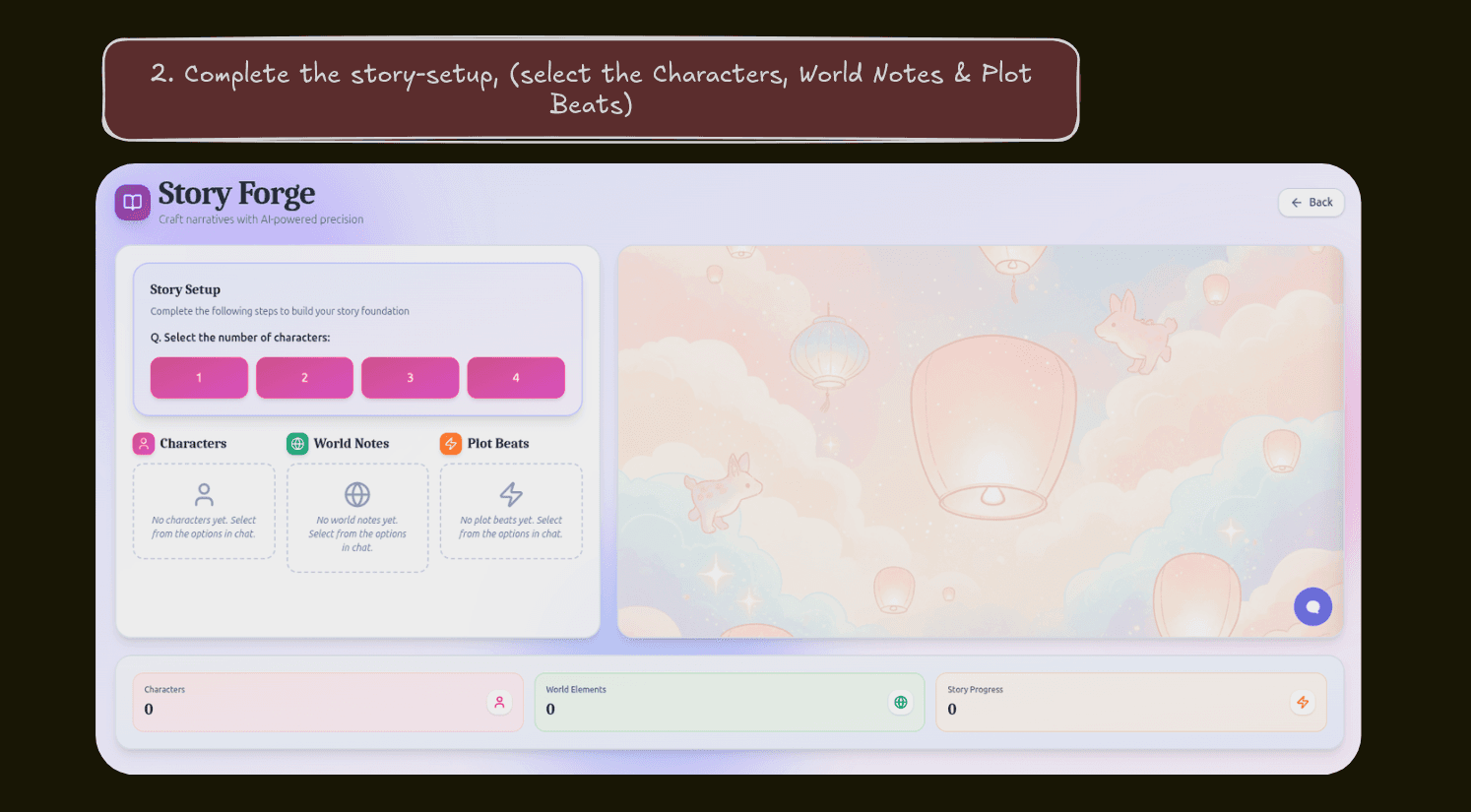
Build your story foundation by selecting the number of characters, defining world notes, and choosing key plot beats through the interactive chat.
3
Copy prompts and start creating
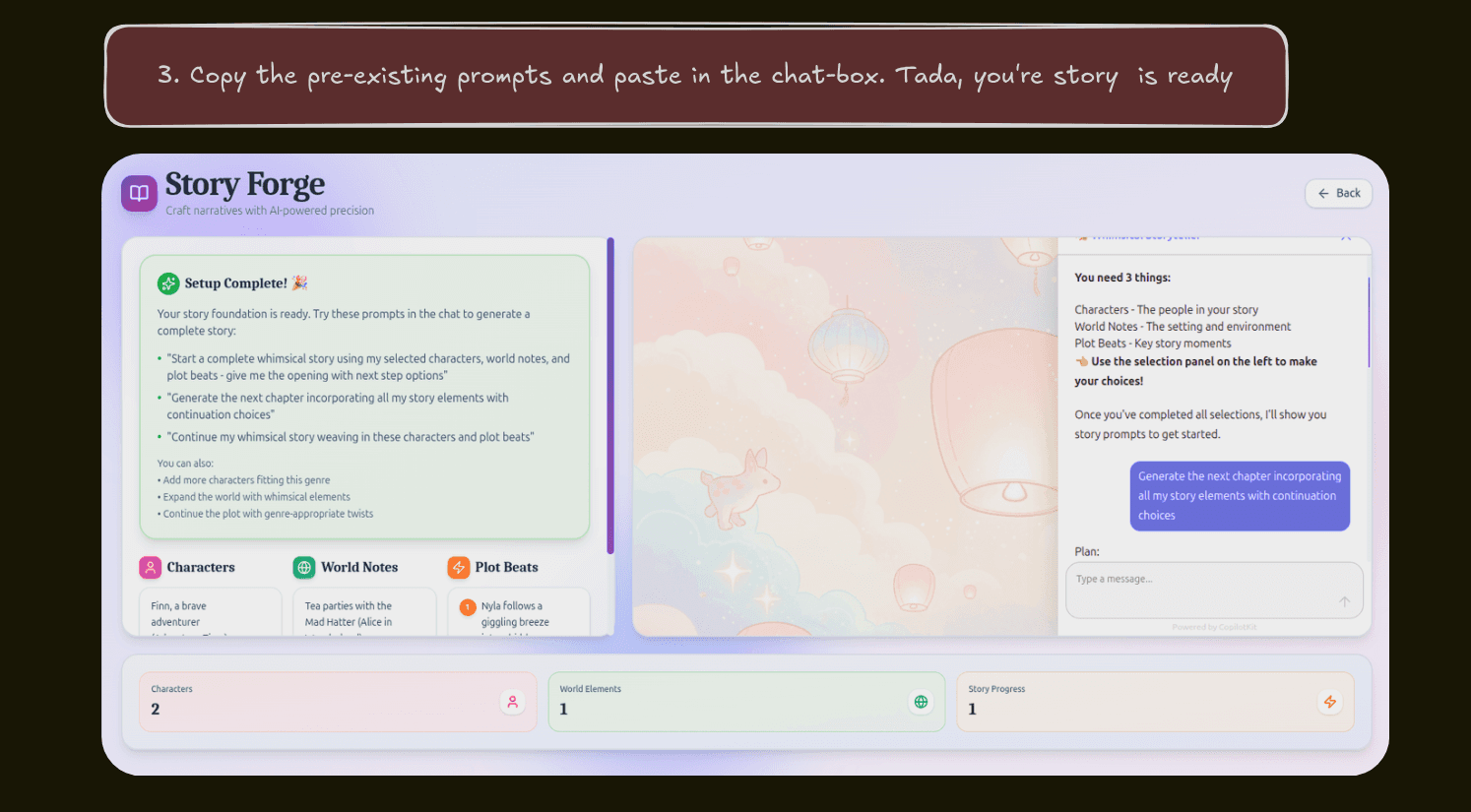
Use the suggested prompts or create your own to generate story chapters. The AI will weave together your characters, world, and plot beats into a cohesive narrative.